iPhone and iPad
Know what you own.
And where it is.
Whateren catalogs your home: every item with its photo, the real place it lives in, and a record of what changed. On your device and, if you turn it on, in your own iCloud.
- $4.99 once
- No subscription
- Works offline


One-time purchase
$4.99 once. Every feature and every future update included.
No ads, no tracking
No analytics SDKs in the app. No account to create.
Works offline
Your inventory lives on your device first, always readable.
Your own iCloud
Optional sync through your personal iCloud, never our servers.
Collections
Together, even when they're apart.
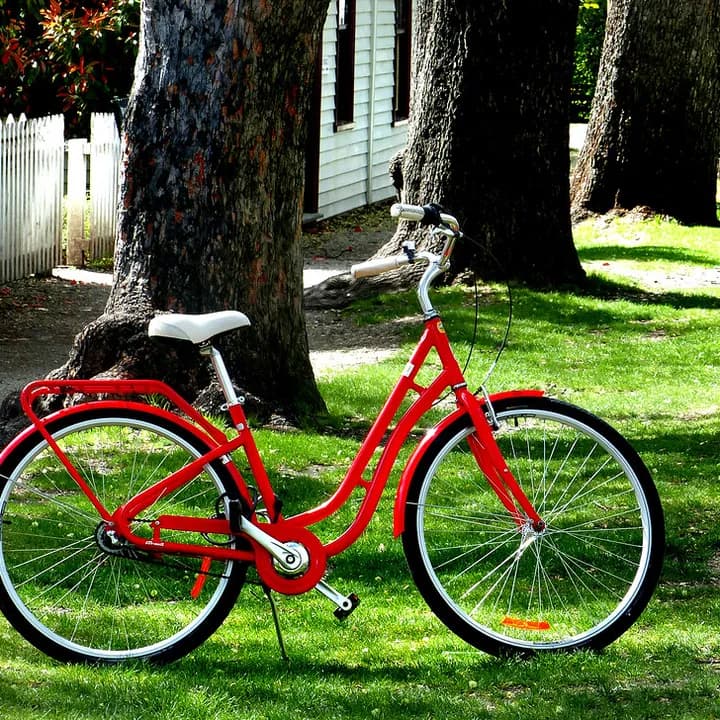
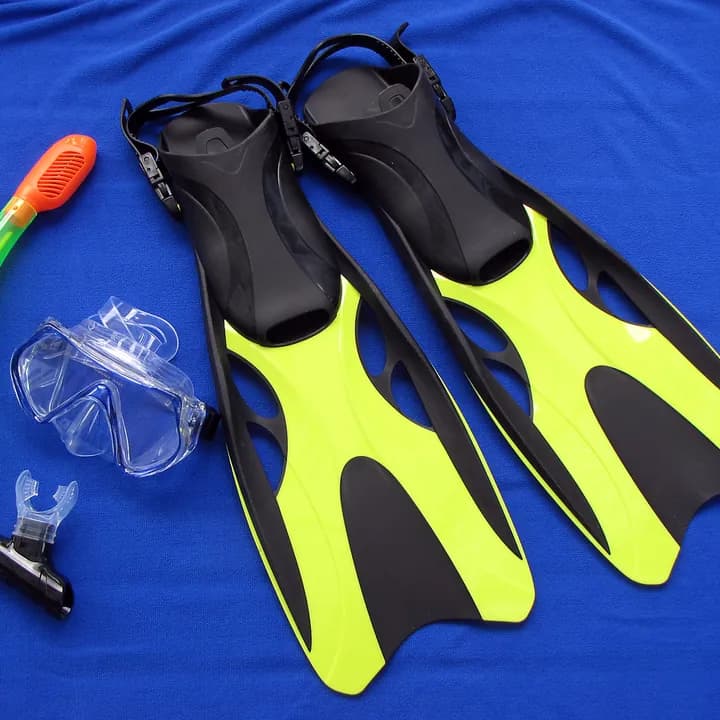
The tent in the garage. The snorkel in a drawer. The bicycle by the door. One collection brings them together, wherever you keep them.
- An item can belong to several collections.
- Keep its real location, photos and history.
- Print a collection's inventory as a PDF.
Weekends outside
Camping tent
Garage · Top shelfSnorkel set
Bedroom · Blue boxBicycle
Hallway

Connectors
Someone already wrote the details.
Look up your things in the catalogues that know them. Choose the right edition, review the details and keep what belongs in your inventory.
Each connector has its own switch in Settings. See what it sends before enabling it. Music and Board Games are opt-in; lookups need an internet connection.
Books
Open Library · Google Books
Titles, ISBNs and book covers.Board games
BoardGameGeek
Find the game and edition on your shelf.Music
MusicBrainz · Cover Art Archive
CDs, vinyl and cassettes, down to the release.Groceries
Open Food Facts
Look up a barcode or product name.Beauty & health
Open Beauty Facts
Names, brands and sizes from a barcode.
Sorting & filters
Find the thing. Skip the digging.
Sort alphabetically, by date added or by purchase date. Combine that with collection, place, category, status and warranty filters, all in one control.
Bought years ago. Added yesterday. Whateren keeps those dates separate. Your filters stay when you switch tabs.
Try it with a few things.
Alarm clock
Purchased
Added
Bicycle
Purchased
Added
Chess set
Purchased
Added
What. Where. When.
Three tabs answer the three questions you actually ask about your things.
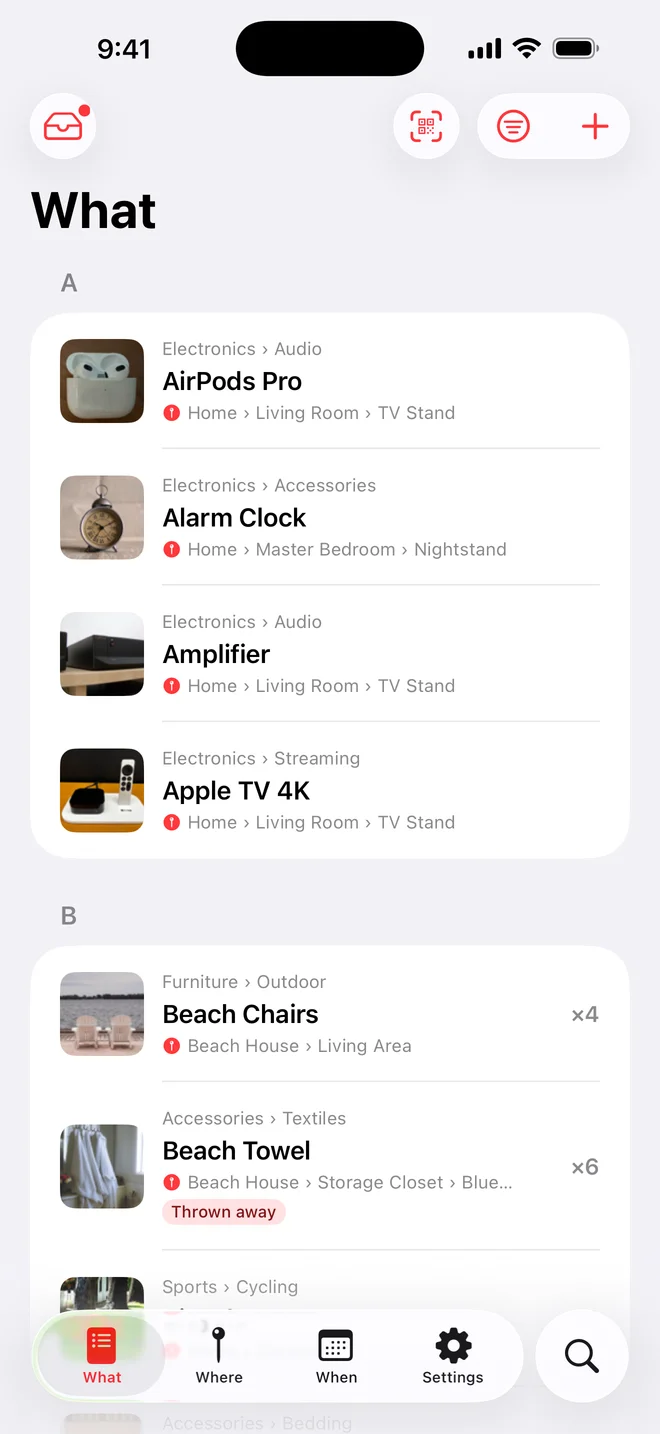
What you own
Every item with its photos, category, quantity, price and status. Search it, filter it, sort it.
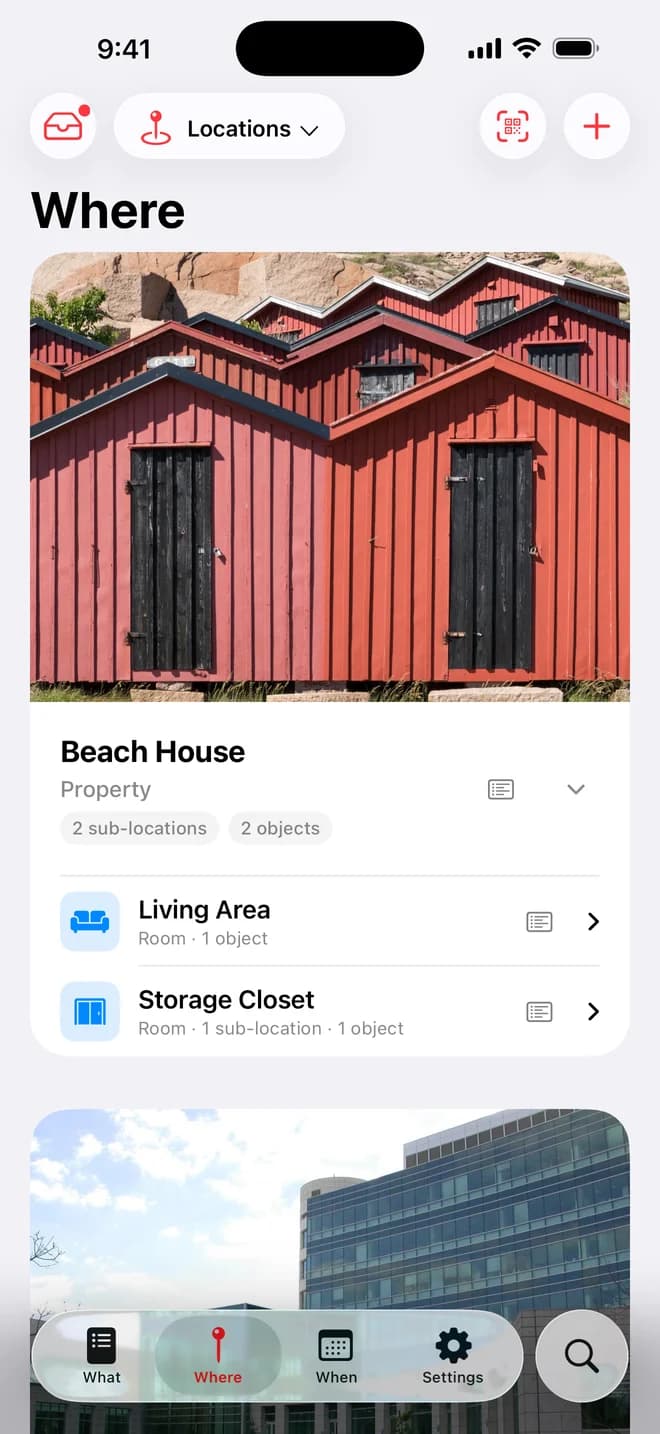
Where it is
Properties hold rooms, rooms hold furniture, furniture holds boxes. One tap opens everything below any place.
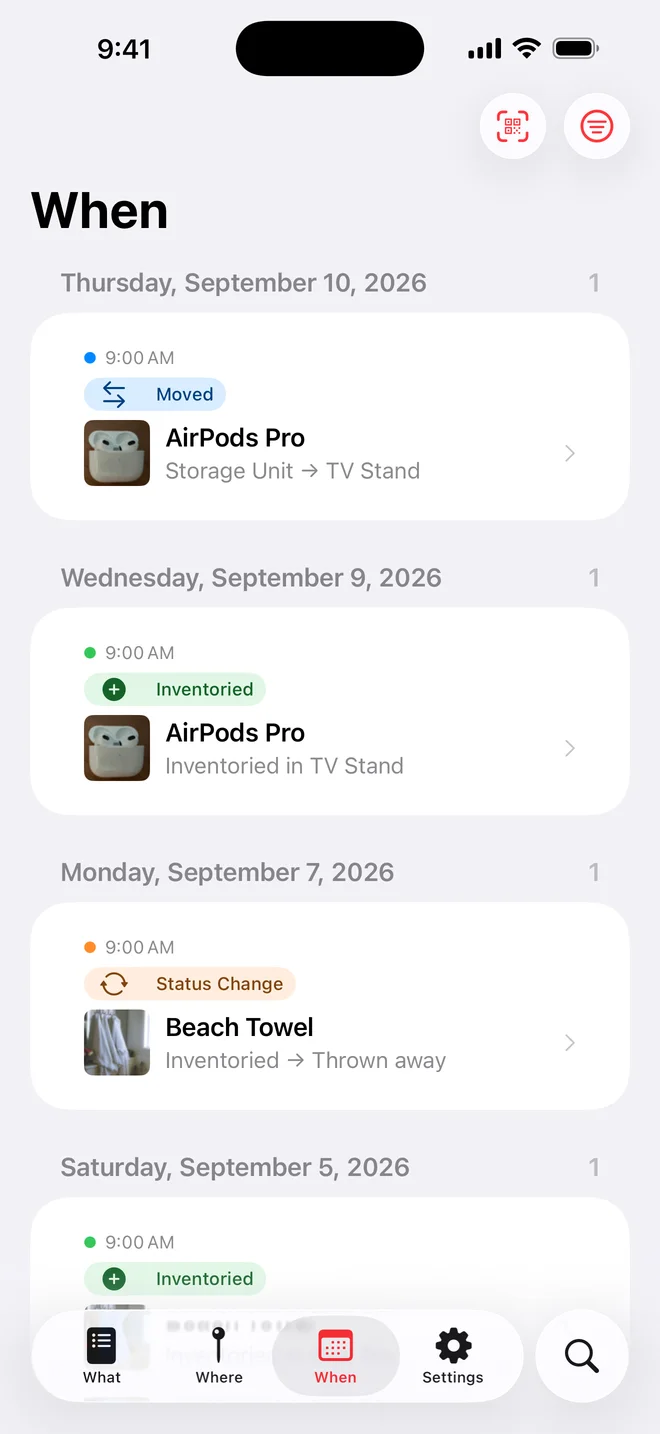
When it changed
Added, moved, lent, sold. The timeline records it without you writing anything down.
Six ways to add a thing.
From a complete form to one photo per second. Choose the speed the moment deserves.
Camera or library
Attach one or several photos while you create the item, or drop them in later.
Barcode
Books, food and products look themselves up: name, details and the product picture when the catalog has one.
Speed Add
The camera stays open. Photograph a whole shelf in a row and review the batch afterwards.
Receipt scan
Premium AI reads every product on a purchase receipt: name, price, quantity, category, serial and warranty when printed.
Team Capture
Several people photograph a shared property at once, one photo per item, saved the instant it is taken.
Siri
Add to the inbox by voice, naming the place if you want, and complete the details later.
The receipt itself stays attached as a document to every item it created, as proof of purchase.
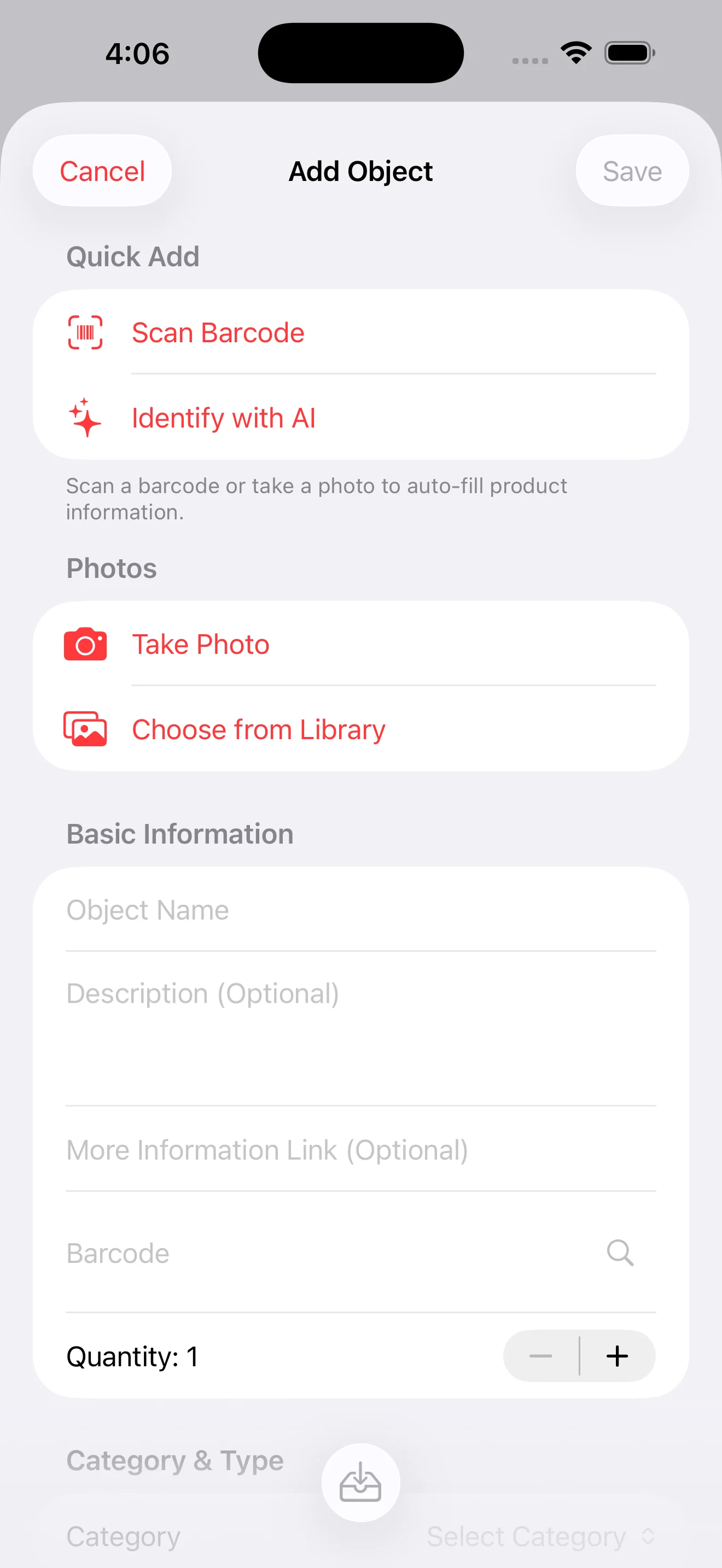
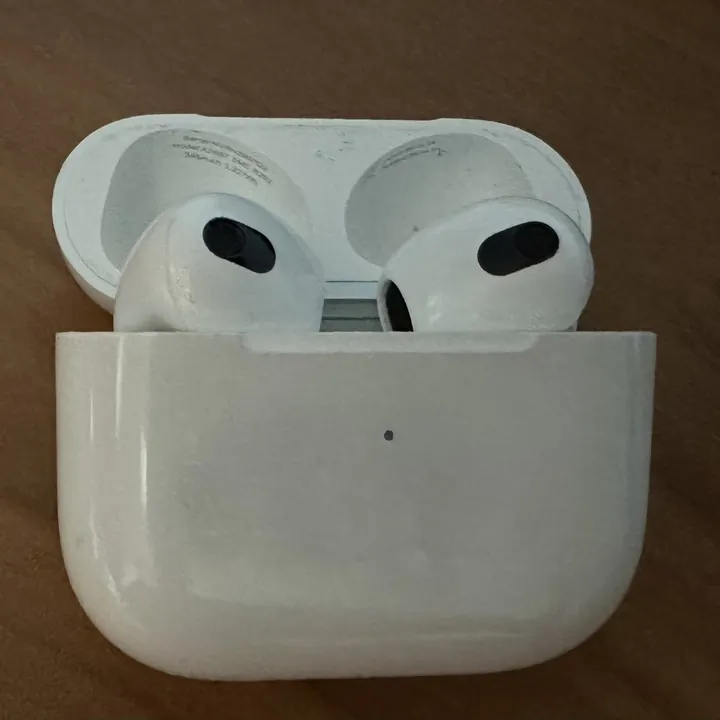
Point the camera. Get the details.
Whateren reads the photo and proposes the item: what it is, what to call it, where it belongs.
Premium, by Claude
Claude reads the photo and proposes a name, a category and a description. It is optional: with Don’t Use AI, photos are saved without being sent to an AI provider.
- Brand and model when visible
- One credit per identification
- 5 free credits to start, packs from $0.99
- Or bring your own Anthropic API key
Premium sends a photo only after you accept a consent notice, and shows it again if the notice changes to cover more. Requests paid with credits pass through a relay that forwards them without storing your photo.
Enhance what you already have
Re-run identification on an item or a place you added long ago, against its existing photos, and review every suggestion in the form. Nothing changes until you save.
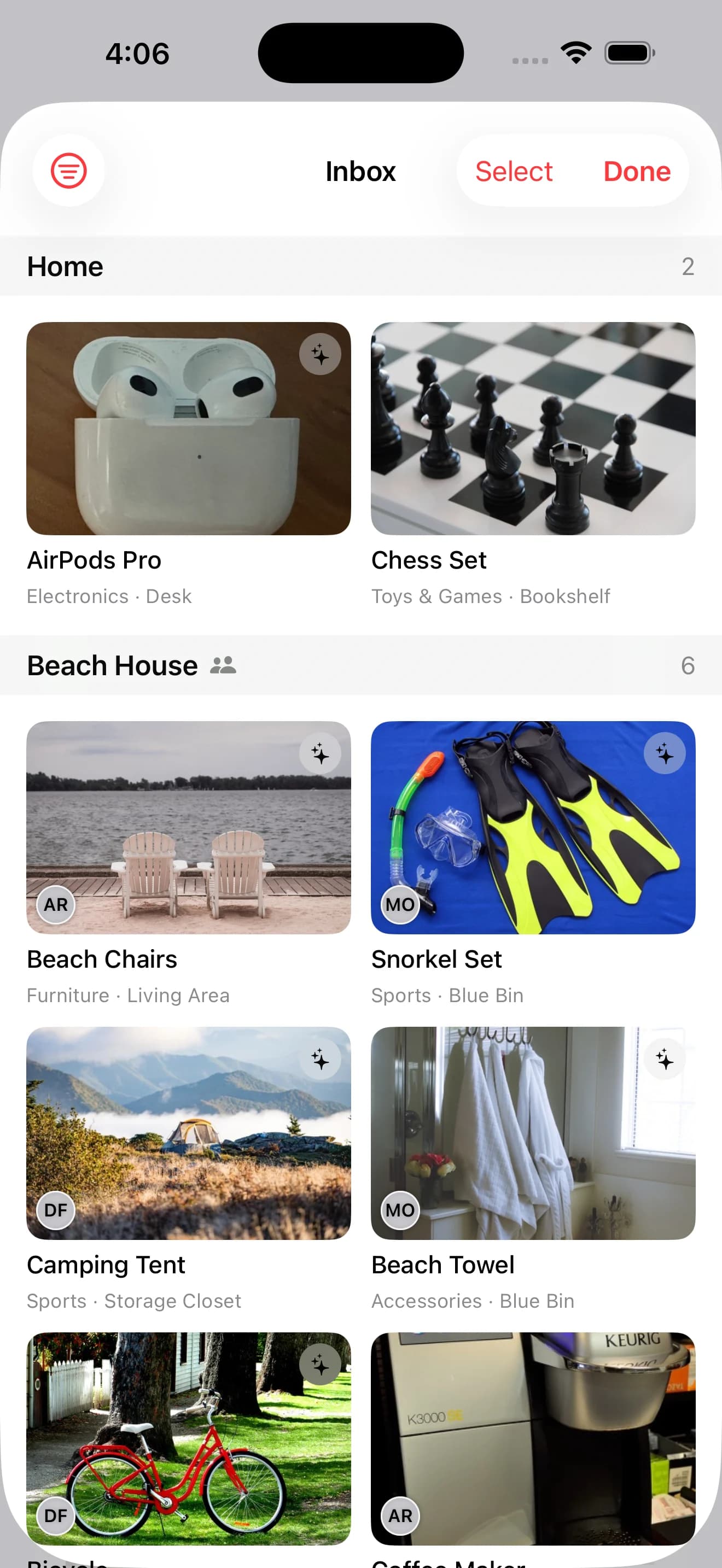
Capture now. Complete later.
Fast captures land in an Inbox as drafts, grouped by property, so a hurried photo never pollutes the real inventory.
- 1
Shoot
Every photo is saved the moment it is taken, even mid-session with the phone in a pocket.
- 2
Review
With Premium AI, most of them are already named. Fix what it got wrong, filter the ones still missing details.
- 3
Confirm
A name, a category and a place, and the draft becomes inventory. Confirm or discard many at once.
Organized the way your home is.
Not folders and tags. The rooms, the furniture and the boxes you already have.
Real places, nested
Property, room, furniture, box, spot. Five levels when you need them, one when you do not.
- Beach House
- Storage Closet
- Blue Bin
- Snorkel Set
Your categories, your icons
Rename them, reorder them, give each one its own symbol and subcategories.
- Electronics
- Furniture
- Sports
- Kitchen
- Textiles
- Toys


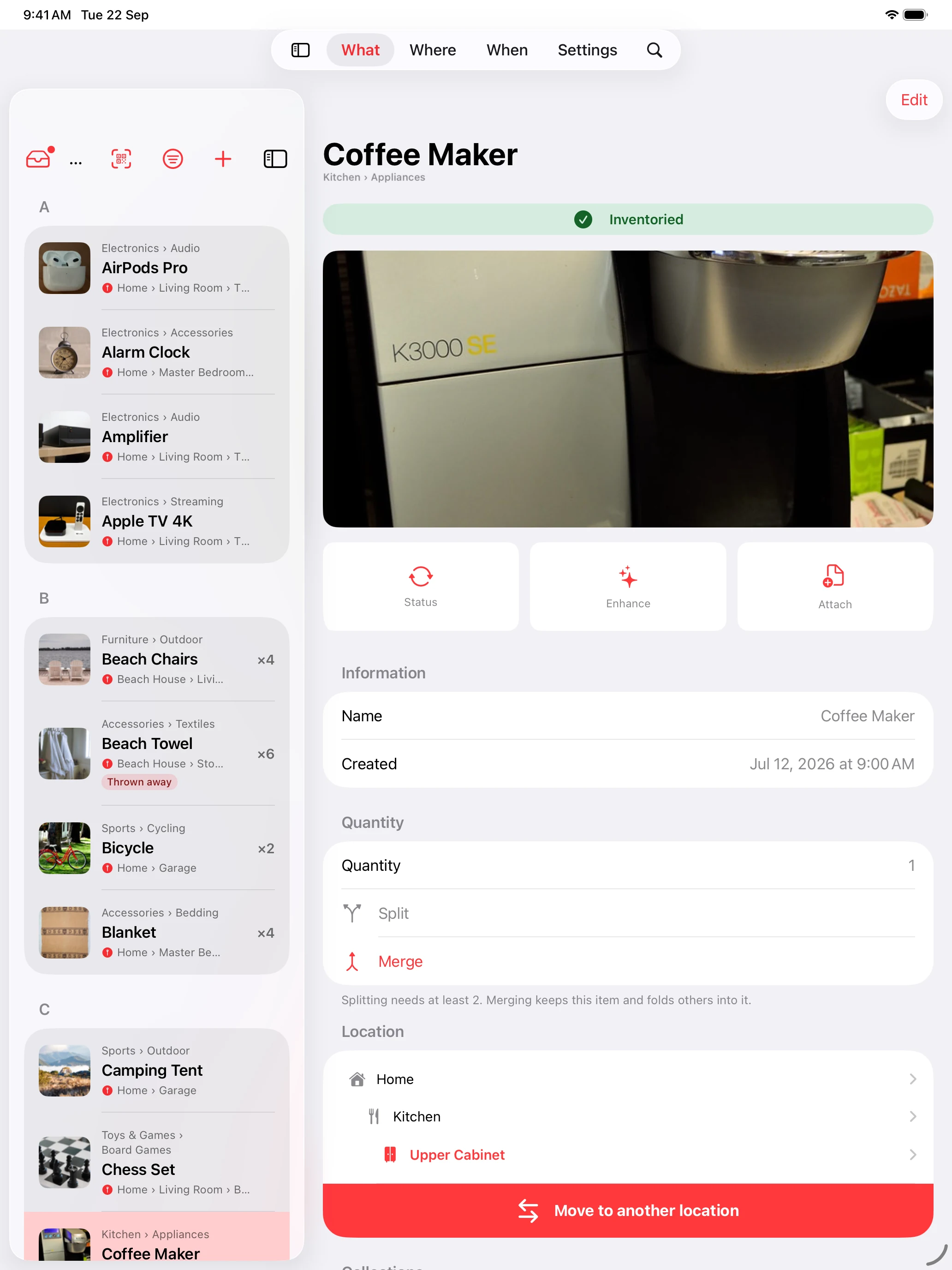
Status that tells the truth
Inventoried, lent, sold, donated, and any status you invent. Each one marked as something you still have or no longer have, so what you gave away leaves your rooms but keeps its history.
- Inventoried
- Lent
- Sold
- Donated
A tab that only finds
One query across items and places at once, matching names, serial numbers, barcodes, categories, even the title of an attached document.
Moves, one or a hundred
Send items to another place individually or in bulk, and the timeline notes every one.
A box that tells you what is inside.
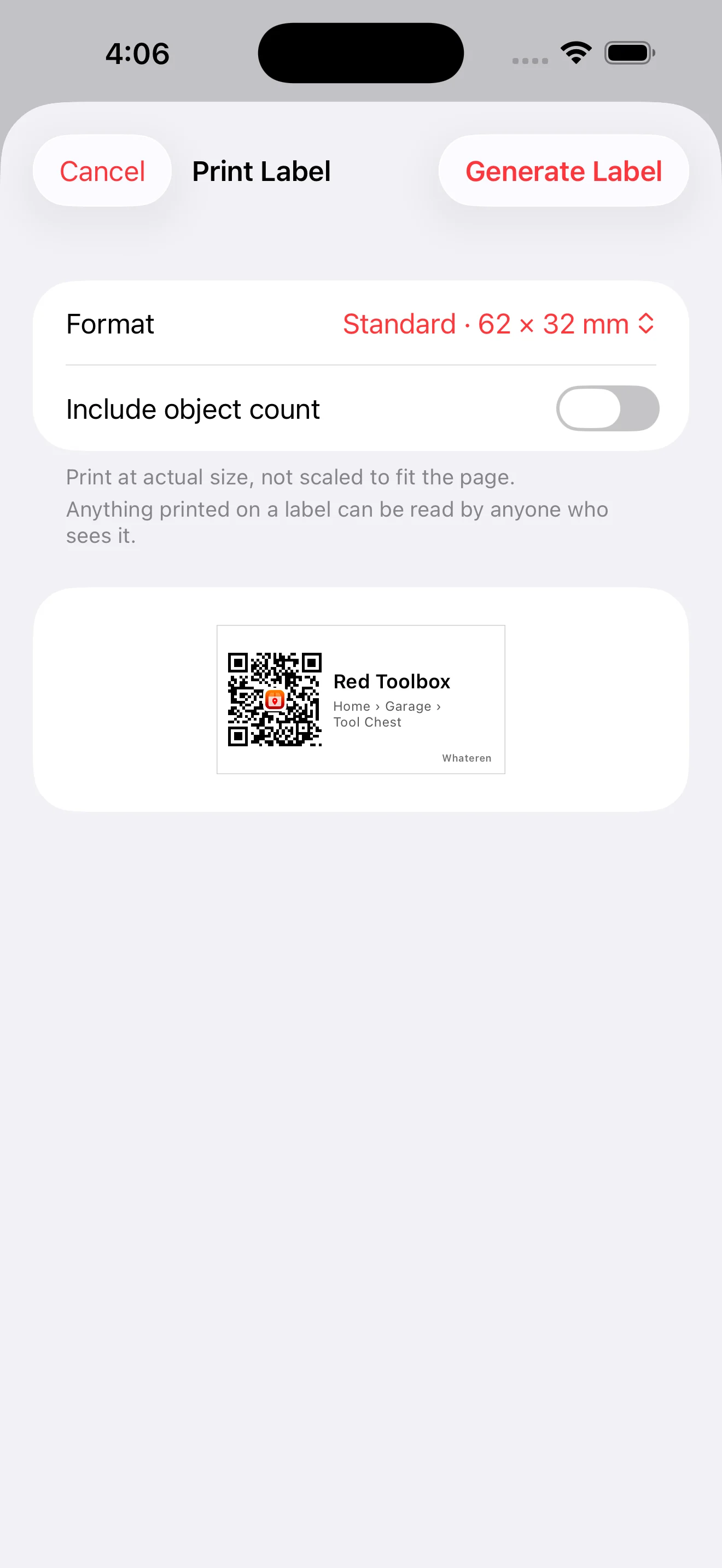
Print a QR label, stick it on, and point your camera at it months later.

Spice Rack
Home › Kitchen › Pantry
Whateren
Try it. It gives you nothing.
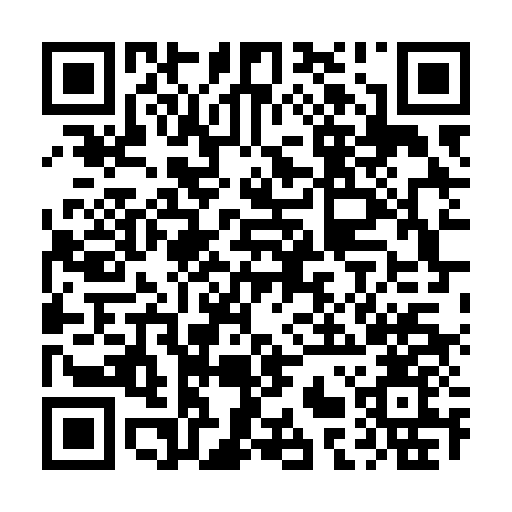
That code is not a picture of a label, it is one. Scan it and, without the app, you land on the page every scanned label lands on: it can tell you a Whateren label was printed, and it cannot tell you which place, because no server holds anyone's inventory. With the app, it says this place is not in yours. That is the whole privacy claim, and it is the one thing on this page you can check yourself in four seconds.
One label, or a whole house
A sticker for a single box, or every place inside a property in one PDF, ordered the way you walk the house.
On the paper you already have
Plain sheets with cut marks, or Avery die-cut sheets. Four sizes, from a 23 mm square to a 100 by 70 box label.
The big ones list the contents
The place, the path to it, how many things it holds, and their categories or their names, each stamped with the day it printed.
Point the camera
The iPhone Camera opens that place in Whateren. No app open first, no scanning mode, no typing.
Numbered for moving day
An optional 3 / 12 on every label, so twelve boxes leaving one house can be counted into the next.
The sticker says nothing
The code carries an anonymous identifier and nothing else. A stranger who photographs a label on a box in the street learns nothing about what is in it.
The part that matters when something goes wrong.
A burglary, a flood, a move, an estate. This is what an inventory is actually for.
Insurance reports
Turn any place, at any depth, into a printable PDF: photos, categories, serial numbers, quantities, prices and a total. Name the insurer, the policy and the claim, or leave them blank for a move.
Inventory lists
The same document without the insurance half. Choose which statuses to include and share a plain list of what is in a place.
Attached documents
Scan a receipt, an invoice or a manual with the camera, pick a photo or choose a file. Everything is stored as a readable PDF on the item.
Serial numbers, scanned
A scan button beside the field reads the serial off the item photos on the device, shows you the text it found, and fills the field for you to verify.
Warranty reminders
Record the expiry date once and a reminder arrives two weeks before the warranty runs out.
Loans that come back
Mark an item as lent, pick who has it, set a due date. Overdue items turn red everywhere, and each item keeps its full loan history.
Reports are kept on the place they were made from, newest first, ready to open, send again or delete.
A house is rarely one person.
Share a property
Invite family or housemates through iCloud. They get that property and everything inside it, and nothing else of yours.
- View only, or edit, per person
- See who added each item
- Revoke access whenever you want
Team mode
Inventory a whole place together, with the work split the way it actually happens.
- One person organizes from the Inbox while the others walk and photograph
- Burst mode shoots continuously, One by One confirms each item as it goes
- A barcode button on the capture screen, so a photo is never mandatory
- With Premium AI, photos are named as they arrive, so the Inbox fills with recognizable items
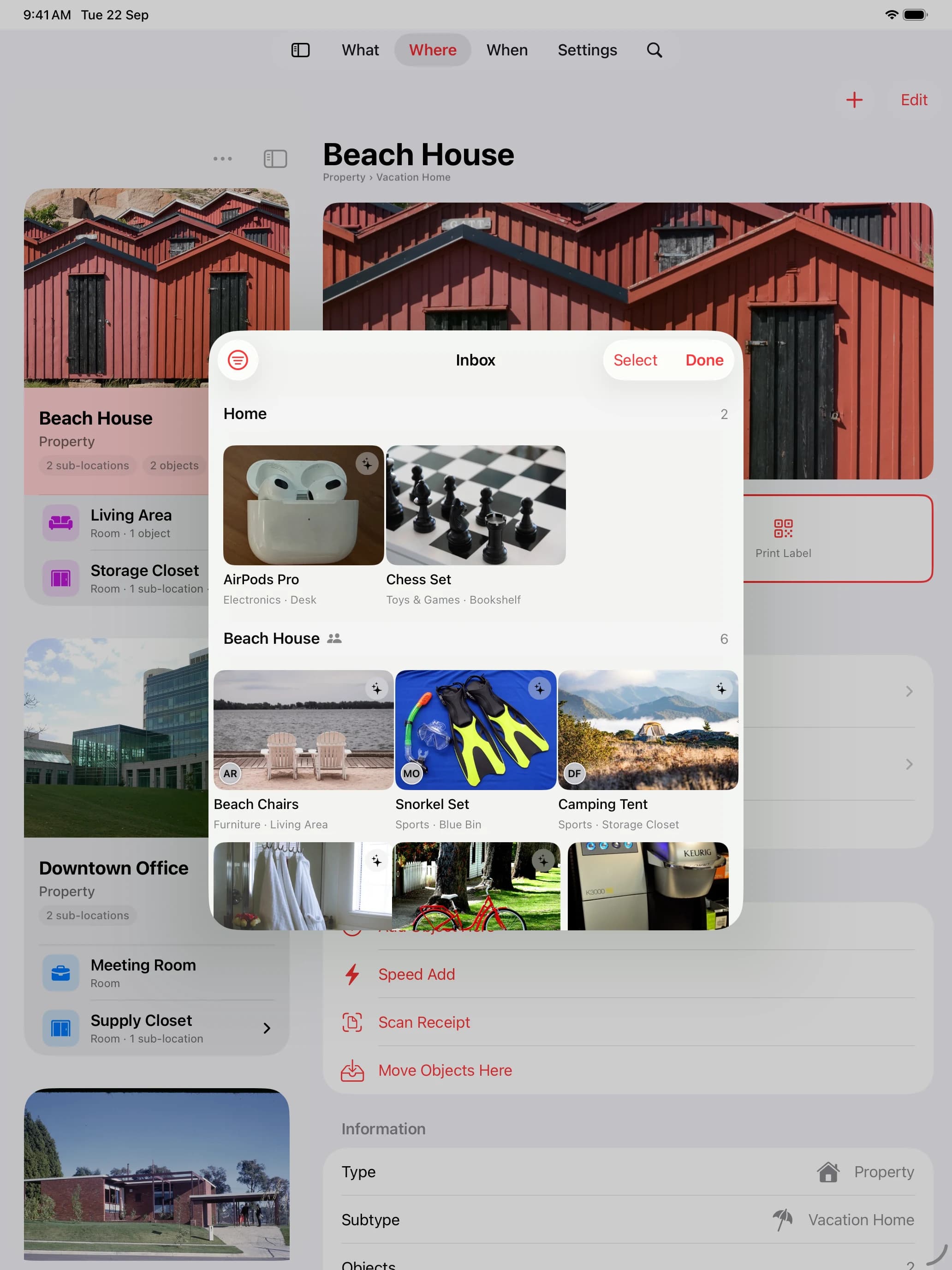
Built into iOS, not dropped on top of it.
The things an app written for the platform can do, and a wrapper never can.
Home Screen widgets
Take a photo, search your inventory, scan a Whateren label or open the Inbox straight from your Home Screen. Choose a small widget for one action, or a medium widget with all four. Pending Items shows the latest available draft count. Widgets follow the app’s language and accent color.
Spotlight
Pull down on the Home Screen and type a name, a serial or who you lent it to. Your items appear with their photos.
Siri
Ask where something is and get the answer out loud, with the photo, without opening the app.
Shortcuts
Add, move, change status, open the Inbox or start Team Capture, in all 8 languages, as automation blocks.
Quick actions
Long press the icon for Add Item, Add Location or View Timeline, or wire it to the Action button.
iPad, properly
A multi-column layout with the location tree beside the detail, and hardware keyboard shortcuts.
Yours to set
Light or dark, an accent color, a currency, a default status, and 8 languages with an in-app override.
One app, native to each screen.
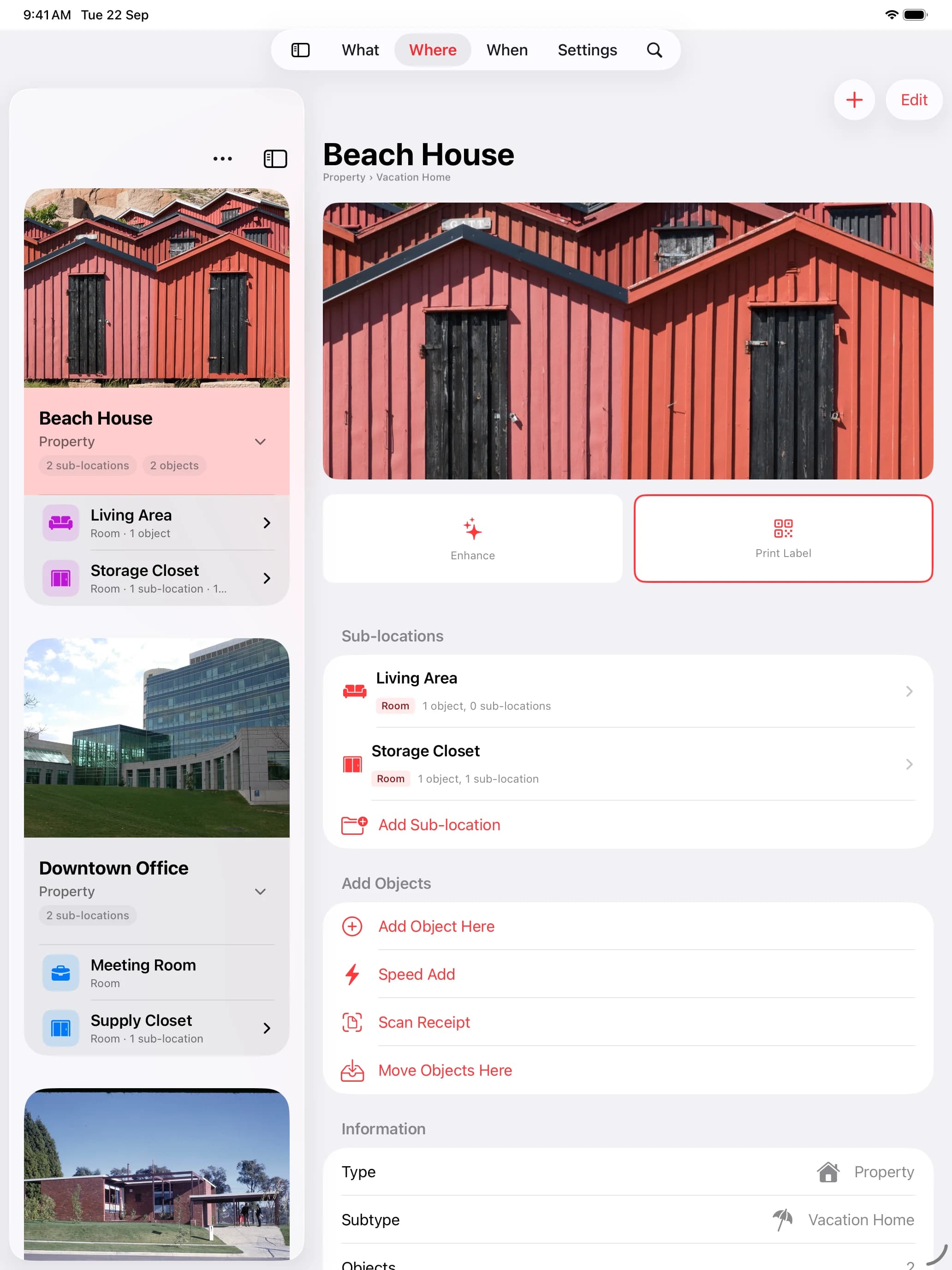
Not a stretched phone app. Each size gets its own layout, its own inputs, its own shortcuts.
On iPhone
- Capture in seconds with the camera or the barcode scanner
- Home Screen quick actions for one-handed adds
- Built for lookups while you are standing in front of the box
On iPad
- Split view with the full place tree beside every detail
- Hardware keyboard shortcuts for new items, search and navigation
- Room to review a whole property at once
Your data stays yours.
Not just a promise in a policy. Your inventory lives on your device and in your own iCloud; only the optional features that say so send anything.
No account required
There is no login and no database of ours holding your things. Your inventory lives on your device and, if you turn it on, in your personal iCloud.
You are told before it moves
Turning sync on or off shows the real counts on both sides and what will happen first. Deleting or restoring says plainly what happens to the iCloud copy.
Lock a place with a PIN
Give a place a 4 or 6 digit PIN, with Face ID or Touch ID as an option. Its name stays visible; what it holds stays out of your lists and search until the PIN opens it, on every device and for everyone you share the property with. Spotlight, Siri, widgets and exports leave it out.
Leave whenever you want
CSV and JSON export, and full local backups that carry your photos and attached documents with them.
Optional Premium AI and product lookups send the data described in our Privacy Policy.
Everything in the box.
One purchase. This is the whole list, not the teaser.
Capture
- Camera and photo library
- Barcode scanner with product lookup
- Speed Add rapid capture
- Receipt scanning with Premium AI
- Premium AI with brand and model
- Enhance existing items and places
- Draft inbox with bulk confirm
- Connectors: Books, Board games, Music, Groceries, Beauty & health
Organize
- Places nested five levels deep
- Custom categories and subcategories
- Your own icons for everything
- Custom statuses and quantities
- Search with combined filters
- Bulk moves between places
- Automatic change timeline
- Address and map on a property
- Collections
- Sorting & filters
Prove and protect
- Insurance report PDFs
- Plain inventory list PDFs
- Documents attached to items
- Serial number scanning on device
- Warranty expiry reminders
- Loan tracking with due dates
- Purchase price and date
- Reference links
- Places locked with a PIN
Share and own
- Optional iCloud sync
- Property sharing with permissions
- Team Capture with roles
- Spotlight, Siri and Shortcuts
- CSV and JSON export and import
- Full local backups
- 8 languages, light and dark
- No account, no ads, no tracking
- Home Screen widgets
One price. Everything included.
You buy the app once. No subscription, no account, no ads.
$4.99once
- Every feature, forever
- Every future update
- 5 Premium AI credits to start
- iPhone and iPad
- Localized in 8 languages
Optional Premium AI credits, or use your own Anthropic API key at no charge:
- 100 credits · $0.99
- 200 credits · $1.99
- 500 credits · $3.99
- 1000 credits · $6.99
Questions, answered.
Is Whateren really a one-time purchase?
Yes. You pay $4.99 once and get every feature and every future update. There is no subscription and nothing gated behind a paywall later. The only optional purchase is Premium AI credits, and even those can be replaced by your own API key.
Where is my data stored?
On your device, and optionally in your personal iCloud for sync and sharing. Whateren has no accounts and no server holding your inventory. Optional Premium AI and product lookups send the data described in our Privacy Policy.
How does AI identification work?
With Premium AI, you photograph an item and Whateren proposes its name, category and description, and the brand and model when they are visible. The photo is sent to Claude, by Anthropic, only after you explicitly consent. Credit funded requests pass through a relay that forwards them without storing your photo. Premium AI is optional: with Don’t Use AI, photos are saved without being sent to an AI provider.
What do AI credits cost?
Every new user starts with 5 free credits. Packs are $0.99 for 100 credits, $1.99 for 200, $3.99 for 500 and $6.99 for 1000. One credit covers one identification, or one item imported from a receipt. With your own Anthropic API key you use none of them.
Can I get a report for my insurance?
Yes. Any place, from a single box to a whole property, produces a printable PDF of everything inside it and inside its sub-places, with photos, categories, serial numbers, quantities, prices and a total. You can name the insurer, the policy and the claim, or leave them blank for a move or an estate.
Can I share my inventory with family?
Yes. Share any property with anyone who has an iCloud account, with view or edit permission per person. They see that property and nothing else of yours, and you can revoke access at any time. Someone with edit permission can also move an item from that property into their own inventory, and revoking access does not bring it back. Invitations are private, with no public links.
Can I keep part of my inventory private?
Yes. Lock a place with a 4 or 6 digit PIN, with Face ID or Touch ID as an option. The place still shows its name, but what it holds stays out of your lists and search until the PIN opens it, and Spotlight, Siri, widgets and exports leave it out. The lock syncs with the place, so it applies on all your devices and to the people you share that property with, who need the PIN too. Locking hides what is inside within Whateren; it does not encrypt it.
Which devices and languages are supported?
iPhone and iPad running iOS 18 or later, with a split-view layout and hardware keyboard shortcuts on iPad. The app is localized into English, Spanish, Portuguese, French, German, Italian, Japanese and Hindi.
Can I get my data out?
Always. Export everything to CSV or JSON, or take a full local backup that includes your photos and the documents attached to your items. Import brings it back.
Start with the drawer next to you.
Ten items in ten minutes, and you already know more about your home than you did this morning.
Download on the App StoreiPhone and iPad, iOS 18 or later